macOS
Waypoint
Close the tab. Find it again.
A link keeper for people with too many open tabs. Drag a tab into your browser's side panel, close it, and find it again by where you work. The page you are on brings its group into view by itself.
- Chrome
- Edge
- Brave
- Helium
- Firefox
- Zen
- Safarisoon
Save without thinking
Drag a tab into the side panel and close it. Drop it on a group and it is filed there; drop it anywhere else and it waits in the Inbox. There is no dialog to fill in.
Organised by where you work
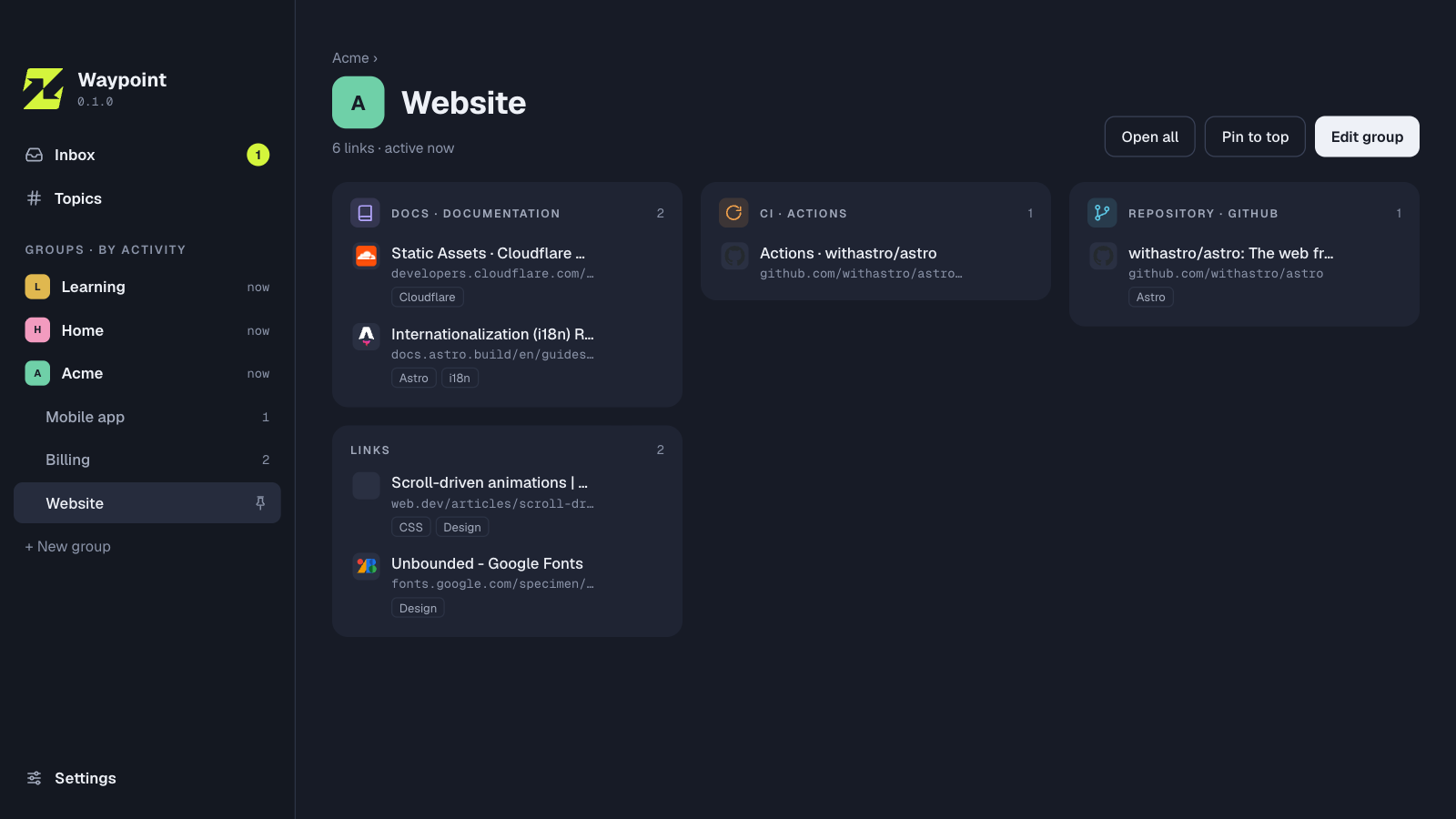
Groups are your companies, projects and areas of life, and they nest: Acme › Billing. Inside a group, links are bundled by what they are, such as repository, CI or docs. Topics like AI or Design cut across everything. Groups sort by when you last worked in them.
The page you are on shows its group
Open a page and Waypoint brings its group into view: by an exact match, by your own URL rules, or by links you saved nearby.
Find it again
Search runs over titles, addresses, each page’s own description and your topics: #ai #mcp cleaner. The topic map shows what you have collected and which topics belong together.
Your browsers, your Mac
One side panel for Chrome, Edge, Brave, Helium, Firefox and Zen, with Safari to follow. A small menu-bar app keeps the links in a database on your Mac. No account, and it works offline. Each group can open its links in the browser and profile you choose.
Let your agent tidy up
Waypoint has an MCP server built in. Claude Code, Codex and other agents can sort your Inbox, tag links and suggest a structure. Every change an agent makes is logged, and you can undo its whole session in one click.